
Some of the most successful “viruses” in history didn’t need any clever hacking at all. They just pretended to be an antivirus, told you your PC was full of viruses, and asked for your credit card to “fix” them. Rogue antivirus programs made criminals hundreds of millions of dollars in the 2000s, and today the same trick lives on as fake virus alerts in your browser and “Microsoft support” phone scams.
What is rogue security software?
Rogue security software is a program that looks like a real antivirus but isn’t. It shows fake scans with hundreds of scary “infections”, and the only way to remove them is to buy the “full version”. The infections don’t exist, the program doesn’t protect you from anything, and often it is the malware.
They had very convincing names, like WinFixer, Antivirus XP 2008, Antivirus 2009, Security Tool, System Security or ThinkPoint, and they copied the look of the real Windows Security Center so well that many people couldn’t tell the difference.
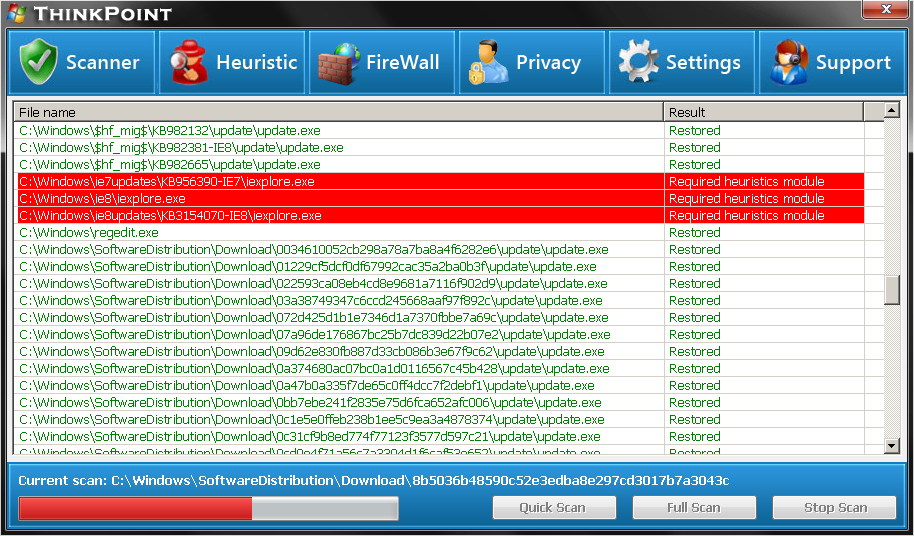
How they got onto your PC
- Fake scan pop-ups on websites: a web page suddenly “scanned” your PC (a web page can’t actually do that) and told you to download a cleaner.
- Fake video codecs: “You need this codec to play this video”. The codec was the rogue antivirus.
- Poisoned search results: criminals pushed their sites to the top of Google for trending news, so clicking a news story could lead to a fake scan.
- Other malware: trojans already on the PC downloaded the fake antivirus to make money from the infection.
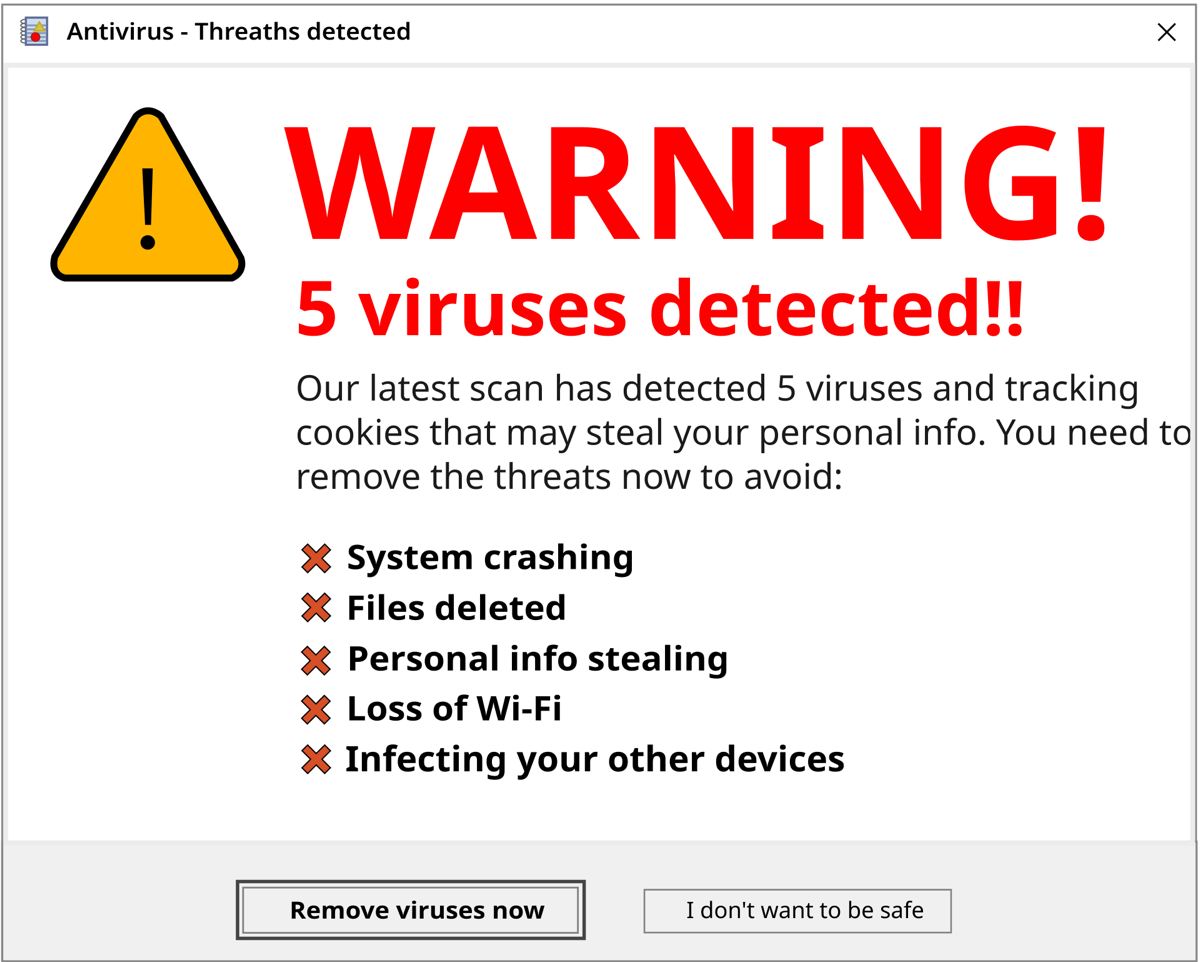
Pay, or your PC stays broken
The fake scan was just the beginning. Many rogue antiviruses made the PC almost impossible to use until you paid:
- Endless pop-ups and balloon warnings near the clock about “critical infections”.
- Blocking programs from opening, including Task Manager, the browser and real antiviruses, saying they were “infected”.
- Changing the wallpaper to a warning message.
- Redirecting websites, especially sites of real antivirus companies.
The “license” cost around $50 to $80. People who paid got nothing, except that their credit card details were now in criminal hands.
The money and the crackdown
This was a huge business. In 2011, the FBI’s Operation Trident Tribunal took down an international scareware ring that had made around $72 million by selling fake antivirus software to about a million people. The US Federal Trade Commission also went after the company behind WinFixer, Innovative Marketing, and in 2012 a court ordered one of its leaders to pay over $163 million.
After these crackdowns, and as Windows got Microsoft Security Essentials and later Windows Defender built in, classic rogue antivirus programs became much rarer. But the criminals didn’t disappear. They changed tactics.
Today: tech support scams
The modern version of fake antivirus doesn’t even need you to install anything. It goes like this:
- You land on a web page that goes full screen, plays a loud alarm and a voice says your PC is infected.
- It shows a fake Windows Defender alert or even a fake blue screen, with a “Microsoft support” phone number.
- When you call, a scammer pretends to be a technician. They ask you to install a remote access program like AnyDesk or TeamViewer.
- They show you normal Windows things, like errors in Event Viewer or
netstatconnections, and tell you they’re “hackers”. - Then they ask for money, often in gift cards, for a “security plan”. Sometimes they also steal files, install real malware or access your bank.
Some versions start with a phone call instead: “Hello, I’m calling from Microsoft, we’ve detected a virus on your computer.” Microsoft never calls you like that.
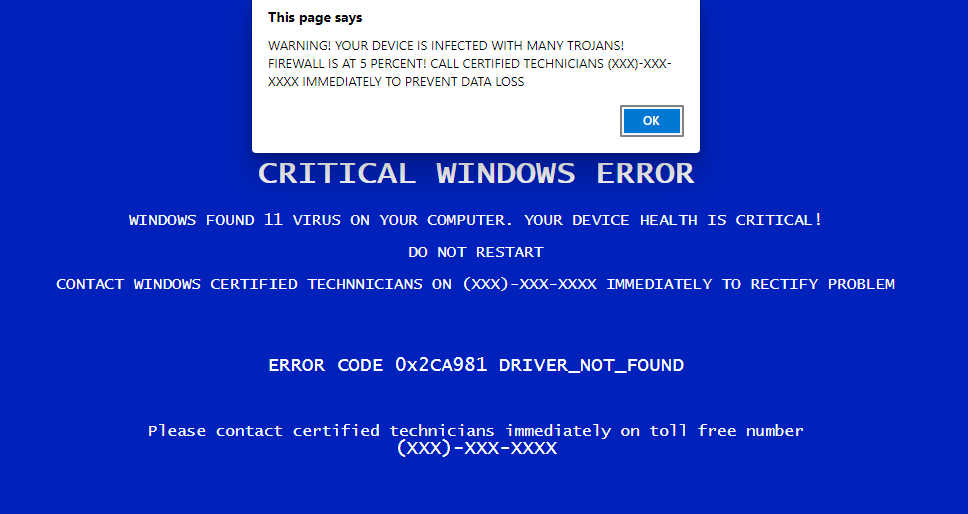
How to spot a fake
| Fake / scam | Real |
|---|---|
| A website says it “scanned your PC” | Websites can’t scan your PC. Only programs installed on it can. |
| A warning shows a phone number | Microsoft and real antiviruses never ask you to call them from a pop-up. |
| It asks for payment to remove viruses | Microsoft Defender is free and already built into Windows. |
| It wants payment in gift cards or crypto | No real company asks for that. |
| Urgency: “Act now or lose your data!” | Real security software doesn’t rush you. |
| Someone calls you about a virus | Microsoft doesn’t make unsolicited calls. |
What to do if it happens to you
- Fake alert in the browser: don’t call and don’t click. Close the browser. If it won’t close, press Ctrl + Shift + Esc, select the browser in Task Manager and click “End task”. When you open it again, don’t restore the previous tabs.
- You installed a fake antivirus: restart in Safe Mode, uninstall it from Settings → Apps, and run a full scan with Microsoft Defender or Malwarebytes.
- You let a scammer connect to your PC: disconnect from the internet, uninstall the remote access program, run a full scan, and change your passwords from another device, starting with email and banking.
- You paid: call your bank immediately to block the card and dispute the charge. If you paid with gift cards, contact the gift card company right away, and report the scam to the police.
And tell older family members about this. Tech support scammers often target people who aren’t very confident with computers.
Comments
Sign in with Discord to leave a comment. Be respectful: spam, insults and malware links are removed.